LOCAL TRANSCRIPTION, STEP BY STEP
Why Does My TikTok Transcript Show Progress but No Words?
This browser tool works through file decoding, speech-model setup, and transcription before it displays the transcript. Its progress panel can show model-download activity, but it does not stream partial words; the text appears after the transcription worker returns a completed result.
Open the TikTok transcript tool
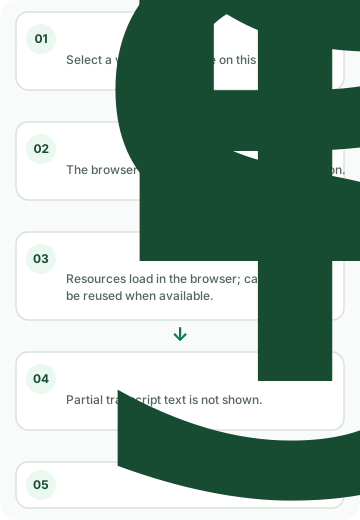
What the status message means
- “Decoding your file locally”
- The browser is decoding the selected media before it sends audio samples to its own worker. The page does not show a decode percentage.
- “Downloading the local speech model in this browser…”
- The browser is loading model resources. When byte totals are available, the progress panel reports received bytes and a total; this is model-resource progress, not transcript completion.
- “Transcribing locally. Keep this tab open while the progress updates.”
- The transcription worker has started. The interface does not render partial words while it waits for the completed worker response.
- “Local transcription complete”
- The worker returned output and the page can reveal the transcript panel.
Why a waiting screen does not identify the cause
The code has separate decode, model-loading, and inference stages, but the page does not expose a diagnostic for every possible delay. If the status stays on transcription and no result appears, that screen alone cannot establish whether the cause is the file, browser resources, or model execution. It is not evidence that the transcript is complete or accurate.
The selected media is decoded in the browser and audio samples are passed to a browser worker. The worker also loads code and speech-model resources from its configured web sources. Those are different transfers: the model-resource download is not an upload of the selected video.
What to check before using the text
- Read the current status label to distinguish local file decoding, model loading, and transcription.
- Keep the tab open while the tool reports that transcription is running.
- Use the transcript only after the result panel appears; then review it against the original audio.
- If an error message appears, use that message as the evidence. Do not treat an unchanged progress display as a successful transcript.
Frequently asked questions
Does the progress bar show how many words are finished?
No. In the current implementation, byte progress is tied to loading model resources. The page does not show a word-count or partial-transcript progress indicator.
Does the first TikTok transcription need to load anything?
The transcription worker loads its speech-model resources in the browser. The page says the browser cache may be reused when available; it does not publish a guaranteed load duration.
Can I paste a TikTok URL instead of choosing a file?
No. This tool accepts a saved video or audio file selected from your device. It does not provide a TikTok-link input.
For the observed Auto-detect and Chinese setting results, read the measured language-setting comparison. To start a new run, return to the TikTok transcript tool.